I built Plantour — a web service that turns the plants you meet on walks into stories
"What was the name of that flower again?" You look it up, see a photo and a name, and move on. By the next day you've already forgotten.
Plant names are hard to retain when you memorize them as isolated points in a field guide or Google search. But the moment you place them inside a story — "where does this sit in the history of evolution?", "what relatives does it have?", "why is that look-alike actually in a completely different family?" — they suddenly stick.
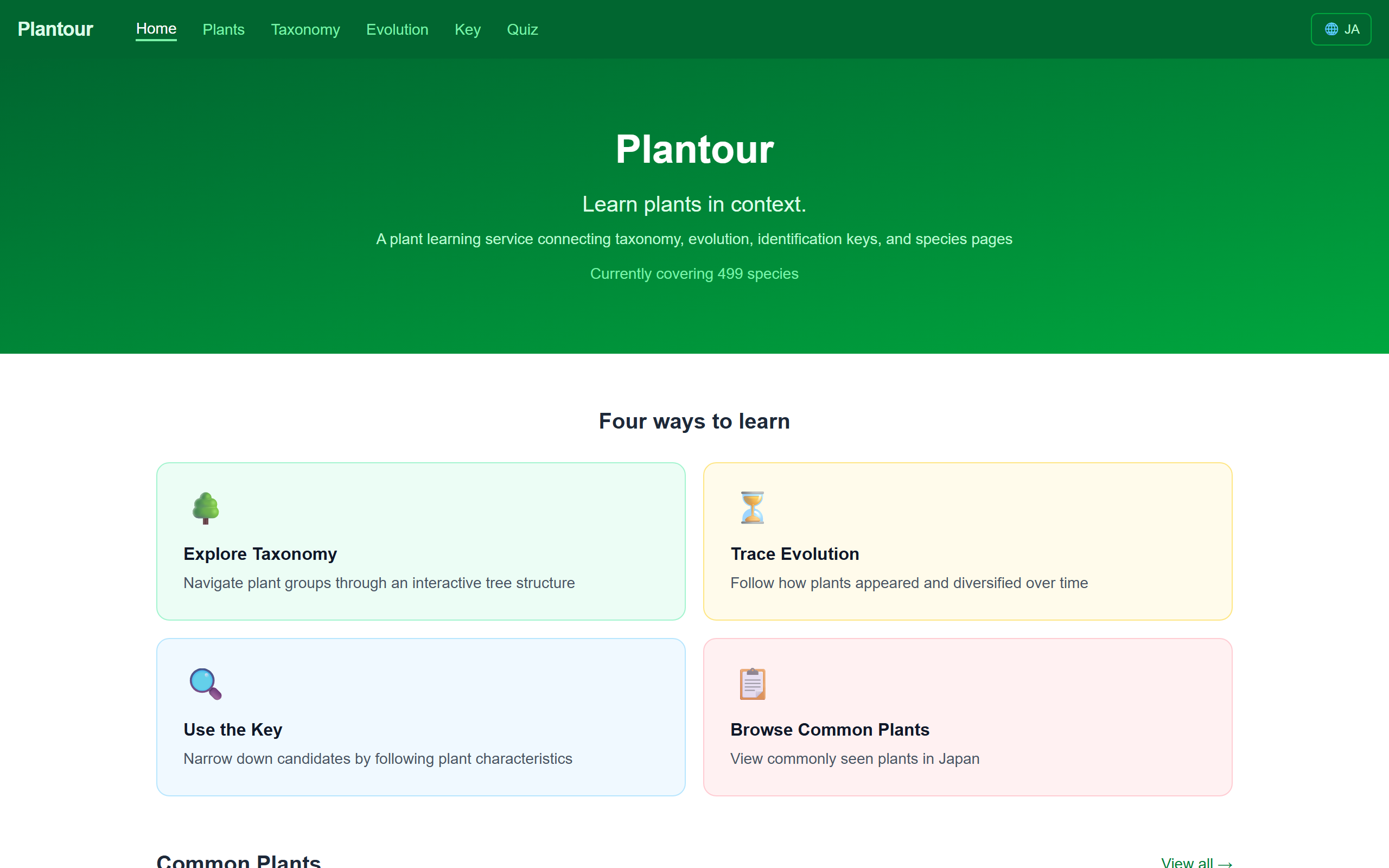
Aiming for a plant field guide where learners can weave their own story, I built Plantour — a web service that connects common Japanese plants through five entry points: taxonomy, evolution, identification keys, quizzes, and 3D models. (Currently around 500 species.)
Completely free, no sign-up, mobile-friendly, and fully bilingual (Japanese / English). Great for kids' independent research projects and family walks.

The key idea: everything is cross-linked
Plantour's biggest strength is that individual species, evolutionary history, and the taxonomic system are all linked together.
- Open the species page for morning glory that you spotted on a walk
- Tap "Convolvulaceae" and see its relatives (bindweed, sweet potato)
- Jump to the taxonomy tree and see where Convolvulaceae sits within Solanales
- Then move to the evolution timeline to see when true eudicots diverged
As you follow your curiosity and jump around, you build up your own mental hooks — "morning glory is a cousin of sweet potato", "there are actually a lot of familiar flowers in Solanales".
Instead of being taught top-down like a textbook, you branch out however your curiosity leads you — that's Plantour's core idea.
Features
1. 🧊 360° observation of 3D herbarium specimens
Using CC0-licensed 3D plant specimen models published by Kyushu University, you can freely rotate and zoom with your mouse — both on species pages and in the quiz.
You can observe things flat photos can't show you — leaf arrangement, stem texture, 3D flower structure — as if you were holding the real thing. Kids can spin these around like a game and pick up plant shapes along the way. I don't know of many other Japanese plant learning sites doing this.
👉 Browse species pages with 3D models →

2. Plant quiz — identify plants from photos or 3D models
A quiz mode lets you test what you've learned.
- 📷 Photo mode: guess the plant from multiple images sourced from Wikimedia Commons
- 🧊 3D model mode: spin a specimen 360° and identify it (highly recommended!)
The answer flow uses the same UI as the identification key — you answer about leaves and flowers to narrow candidates down. Whether you get it right or wrong, you can jump to the plant's page and learn more, so every miss becomes new knowledge.

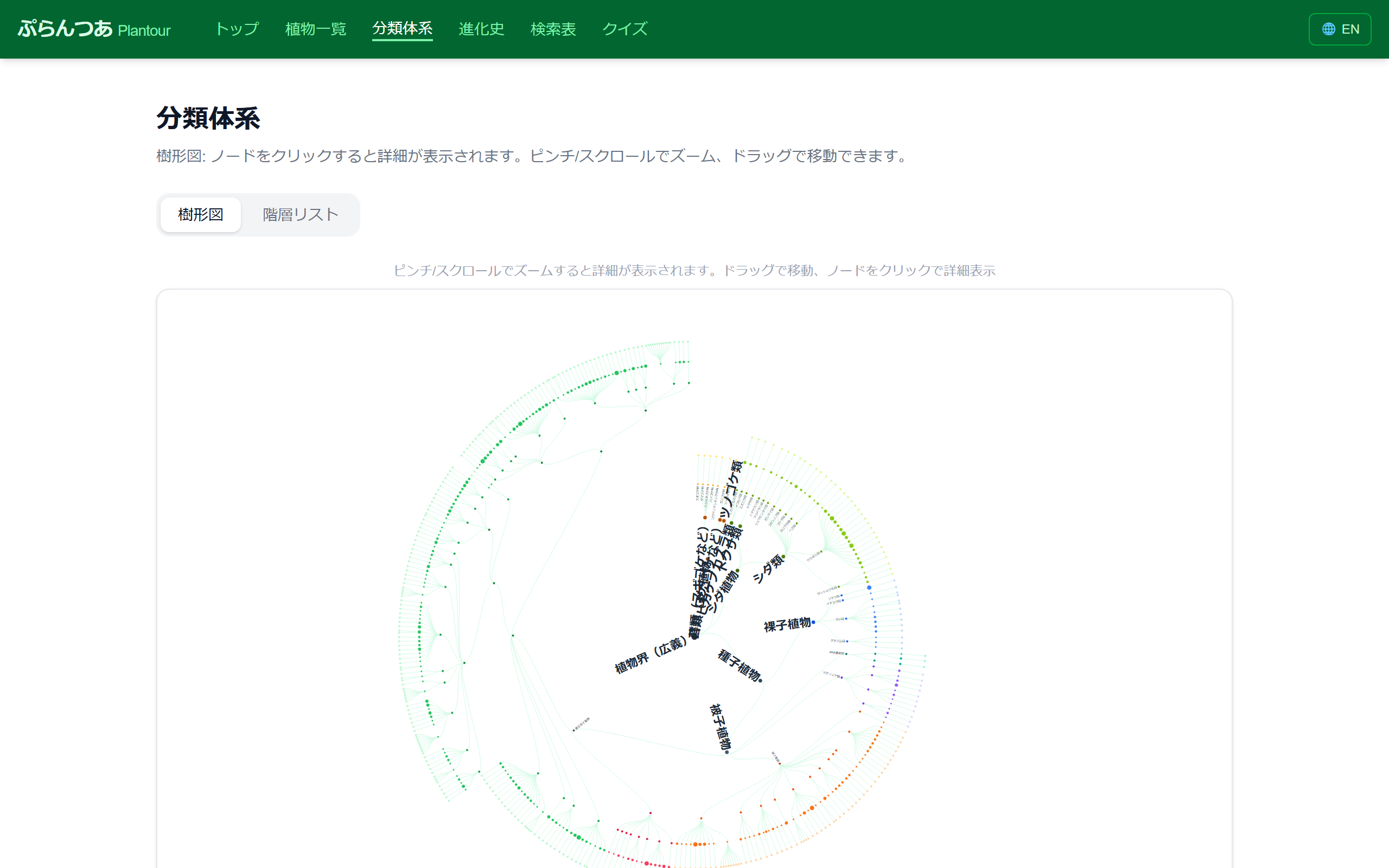
3. Taxonomy view — a D3.js tree that lets you survey APG IV
The entire plant kingdom is shown as an interactive tree. Scroll to zoom, drag to pan. Go deeper and you see orders → families → genera → species. You can switch between "tree" and "hierarchical list" with one click.
This is where "the journey to find the relatives of the weed you're looking at" begins.

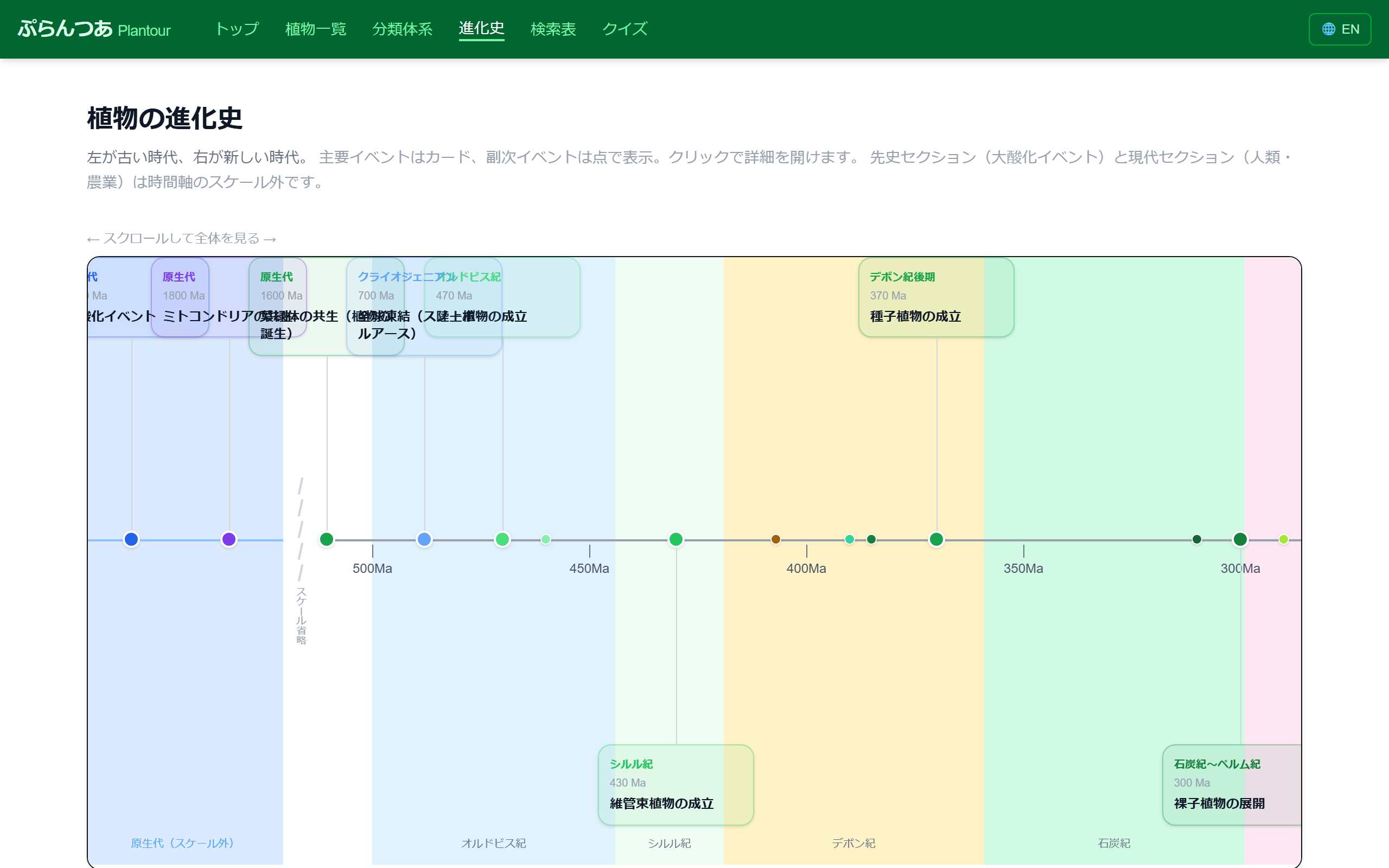
4. Evolution timeline — 400 million years in a single scroll
The rise of ferns, the divergence of gymnosperms, the explosive diversification of angiosperms... the major events of plant evolution, lined up in chronological order.
You'll intuitively see "is this weed older or younger than the dinosaurs?" — a great starting point to tell kids "this was around long before T. rex".
👉 Open the evolution timeline →
5. Identification key — narrow down a species by answering questions
What's the leaf shape? Flower color? Number of petals? A classic dichotomous key, implemented on the web. Covers seed plants (angiosperms and gymnosperms), and narrows candidates as you answer.
The goal: a practical tool for kids working on "what is this flower?" for an independent research project.
👉 Use the identification key →

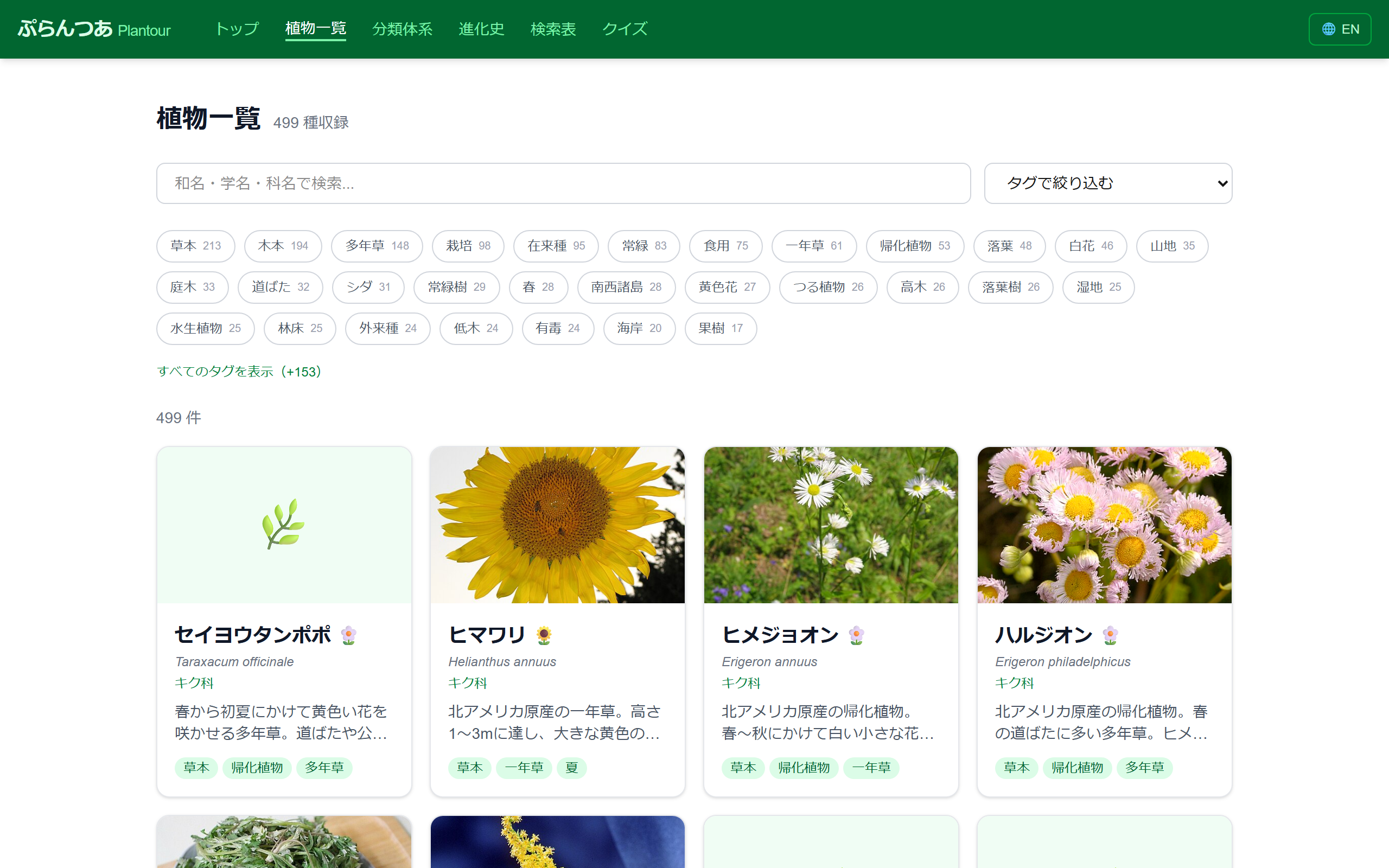
6. Plant list and species pages — tag search and rich info
All 499 species come with a Japanese name, scientific name, family, key traits, habitat, season, and multiple photos. You can quickly filter with tags (woody / herbaceous / evergreen / deciduous / wetland / alpine, etc.).
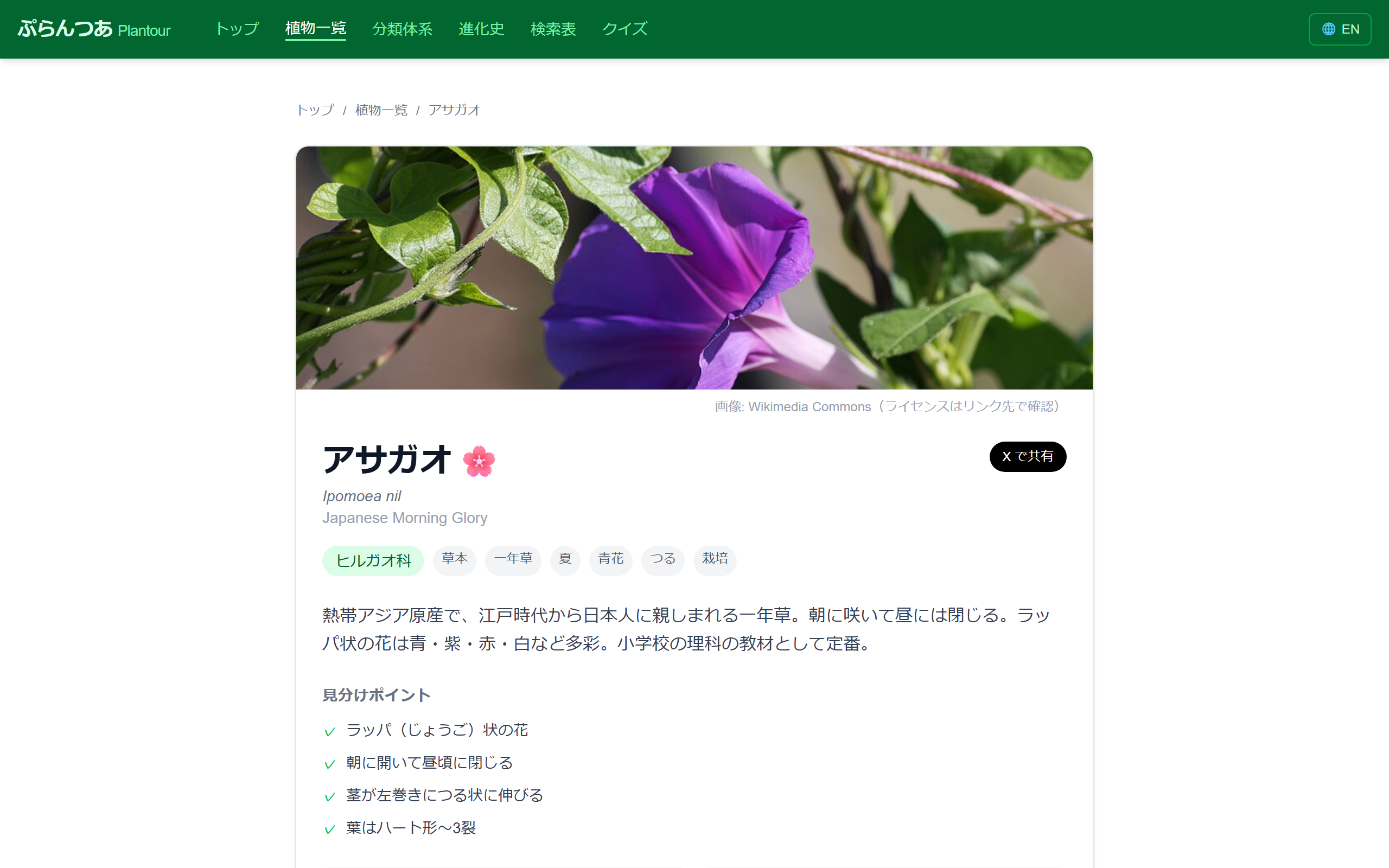
Each species page includes a Wikimedia Commons photo gallery, identification points, habitat, season, related tags, and a link to its family page.
7. Japanese / English toggle
Every screen is bilingual (JA / EN). Scientific names, trait descriptions, even the identification key questions — all switch with the 🌐 JA/EN button in the navigation. Great for kids learning English alongside plant names.
Who is this for?
- 🌱 People who enjoy walks or hiking and want to know the plants they see
- 👧 Parents looking for a companion to their kid's independent research
- 🎓 Middle and high school students studying plant classification
- 🌍 People wanting to learn English and botany at the same time
- 🧬 Adults interested in APG classification and plant evolution
Tech stack
- Next.js 16 (App Router,
output: exportfor static site generation) - TypeScript / Tailwind CSS
- D3.js (taxonomy tree)
- Sketchfab Embed API (Kyushu University's CC0 3D models)
- Wikimedia Commons API (species photos)
- Hosting: Vercel
Data was curated with reference to APG IV and YList (Japanese plant name / scientific name index).
Final thoughts
Honestly? I don't know all that much about plants. As the developer, I'm very much "the kind of person who can't remember them".
I'd look up the name of a flower I noticed on a walk, and forget it the next day. I'd open a field guide, and all the similar-looking flowers would just blur together. But then — "this flower predates the dinosaurs?" "that weed is a cousin of sweet potato?!" — and suddenly there was a moment I couldn't forget.
Knowledge memorized as points disappears. Knowledge placed inside a story stays.
I built Plantour to let anyone have that experience, for free, on a smartphone. Taxonomy, evolution, identification keys, 3D models, quizzes — enter from any door, and before you know it, you've wandered into the room next door. A "maze of knowledge" is what I'm aiming for.
Still 499 species. Still rough around the edges. But if even one person's walk becomes a little more of an adventure because of it, that's enough for me.
On your walk home tomorrow, try looking up just one weed at your feet. The world will look different.
🔗 Try it: https://plantour.app/
Comments, bug reports, "please add this species" requests — I'd love to hear from you. Let's expand the plant world together.